
First Login
You will be required to perform some initial settings when you first log in.
STEP1
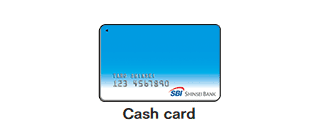
Please keep your cash card handy when logging in. Please access our website and tap "Login".
Cash card
Your branch code and account number are shown on this card.
STEP2
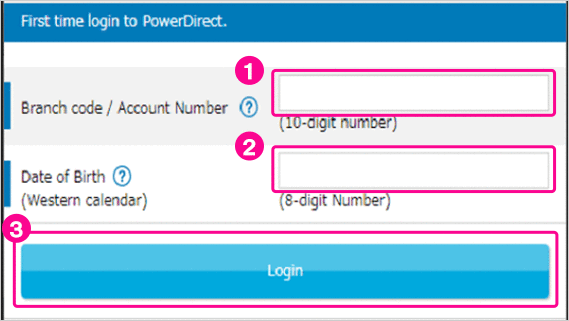
 Enter the 10-digit number embossed on your cash card (3-digit branch number and 7-digit account number).
 Enter your birthday (8 digits: yyyymmdd)
e.g. If your birthday is December 9, 1980, please input 19801209. Tap "LOGIN".
STEP3
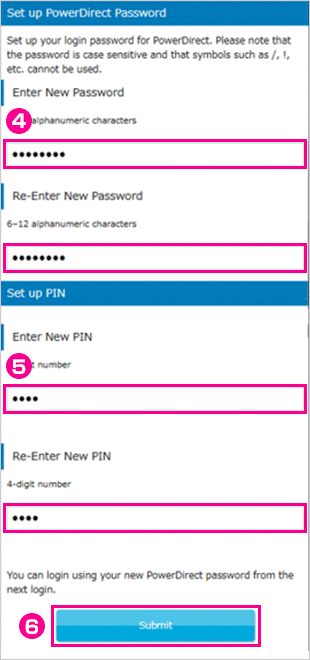
Register your PowerDirect Password and PIN to log in to PowerDirect next time.
 Enter the PowerDirect password you will use for future logins and re-enter it in the confirmation field.
<Password policy>
The password should be between 6-12 characters long and contains at least two types of characters under the following categories:
- English lowercase characters (a through z), base 10 digits (0 through 9).
- Lowercase characters and uppercase characters are recognized as separate characters.
- You cannot use non-alphanumeric characters such as "!" or "/".
 Enter the 4-digit PIN you wish to register and re-enter it in the confirmation field.
- This PIN is used for both PowerDirect transactions and ATM transactions.
 Tap "Submit"
STEP4
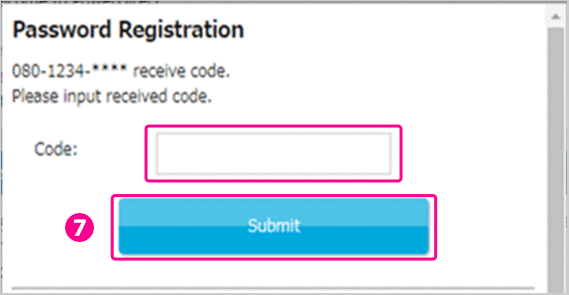
Authentication is conducted through the short messaging service (SMS) or automated voice.
In case you have registered your mobile phone number with us
 Enter the verification code provided in the text sent to your registered mobile phone and tap 'Submit'.
In case you have registered other telephones such as landline telephone
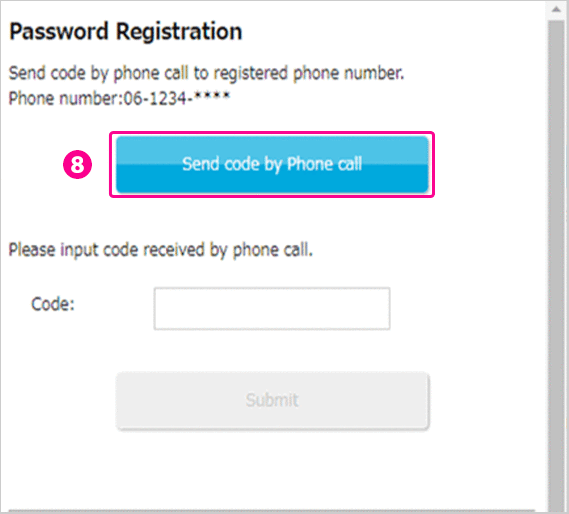
 Tap 'Send code by Phone call'.
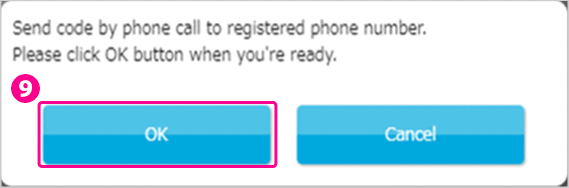
 Click "OK" when you are ready.
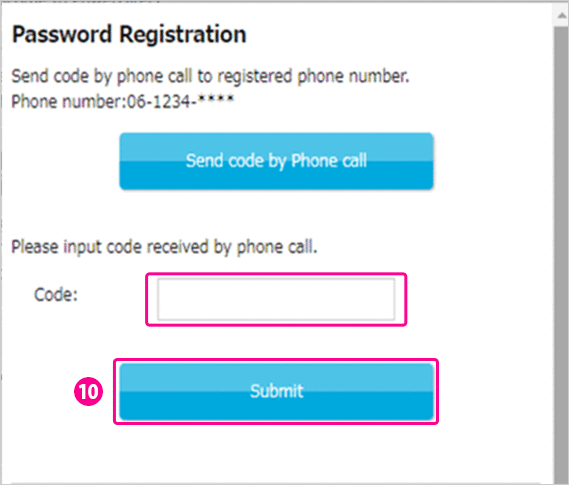
 Enter the verification code sent by automated voice to your telephone registered with us and tap 'Submit'.
STEP5
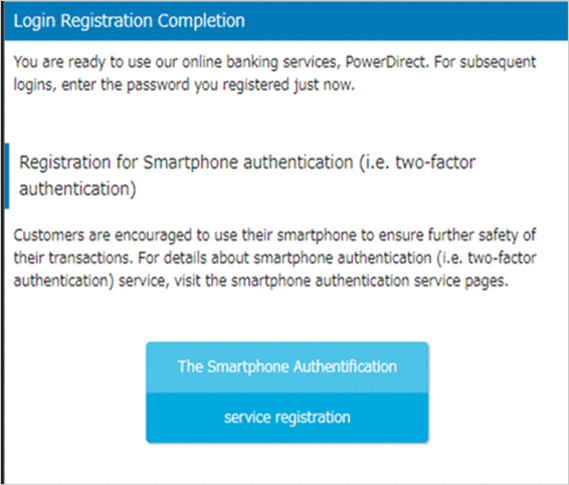
Your registration has been completed.
If you would like to register for Smartphone Authentication Service, click on "The Smartphone Authentication service registration" button.
 Close
Close