
Starting March 29, 2026, smartphone authentication (FIDO) via the SBI Shinsei Bank app is available.
If you are currently using the smartphone authentication service with VIP Access, please switch to smartphone authentication through the SBI Shinsei Bank app.
Please note that the SBI Shinsei Bank app is available in Japanese only.
How to change your domestic fund transfer limit
STEP1
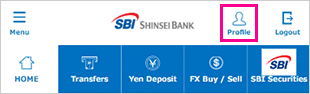
Login to PowerDirect and tap"Customer Support"tab.
STEP2
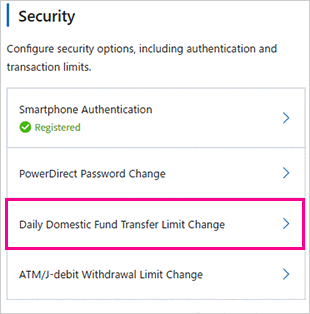
Tap"Daily Domestic Fund Transfer Limit Change".
STEP3
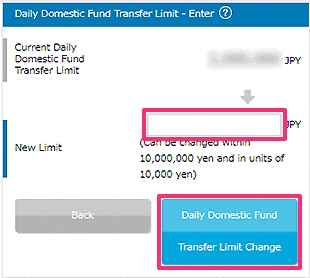
Enter new daily domestic Fund Transfer limit and tap"Daily Domestic Fund Transfer Limit Change".
STEP4
Please complete identity verification using one of the following methods: Smartphone Authentication, Telephone Authentication, or SMS Authentication.
For details on the authentication methods, please click here.
- Please note that prior registration is required to use Smartphone Authentication.
Smartphone Authentication is available in Japanese only.
For information on how to register, please click here.
STEP5
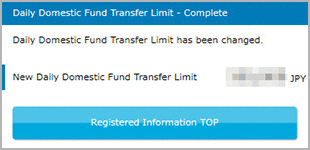
Then your daily domestic Fund Transfer limit has been changed.
 Close
Close